

This is for everyone having problems with updating their Godox flash firmware on a Macbook via USB.
The problem: The Godox flash is not recognised when connecting to Macbook via the USB port.
I’ve seen people online having to install Windows, or borrow a Windows machine to make this work, but there’s no need. You CAN do it on a Macbook and the solution is simple.
Update Godox firmware Summary (on a mac):
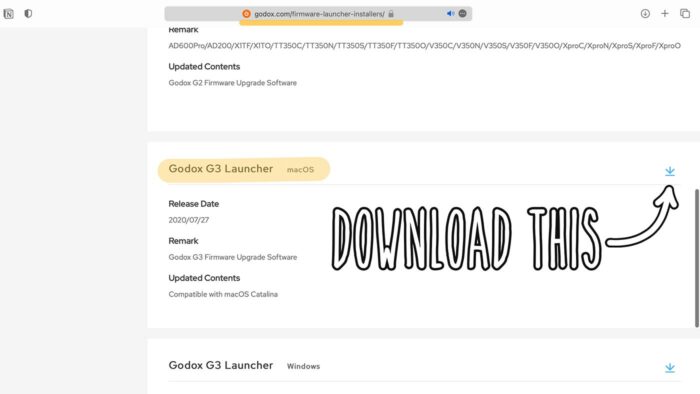
- Download Godox launcher app (G3 at the time of writing this)
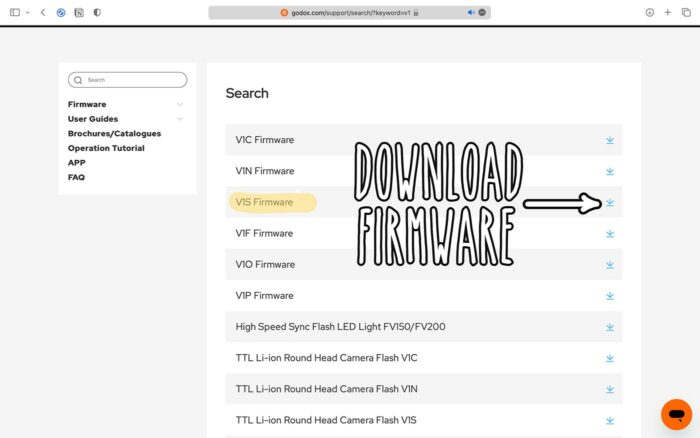
- Download Godox the firmware for your specific flash model
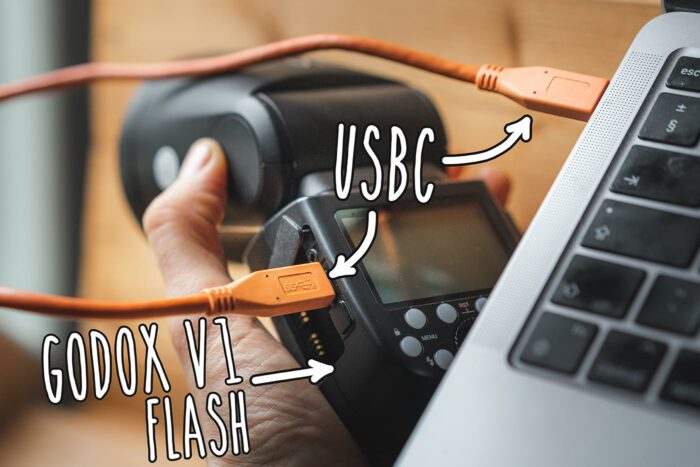
- Connect to Mac using a USB-C to USB-A cable, NOT USB-C to USB-C. Then use an adaptor to go back to USB-C, accepted by the Macbook. The launcher/updater app will now say ‘device connected’
- Turn flash off and remove flash battery
- Click ‘open file’ to load the firmware file (.bin), then ‘update’
Download the Godox G3 Launcher app
https://godox.com/firmware-launcher-installers/
Download the firmware
Remember to select the right model. For example, V1S is for Sony camera’s. That’s what I’m using
A USB-C to USB-C cable may not work
This is naturally what you’d use to connect the Godox flash to your Macbook computer, but this doesn’t work with Godox. I suspect the necessary drivers are absent.
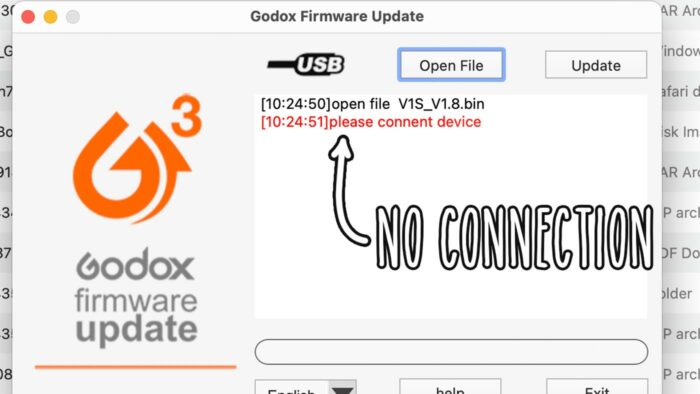
USB connection issue
The USB updater may not recognise the connection to the Godox flash at all
SOLUTION: use a USB-C to USB-A cable PLUS an adaptor
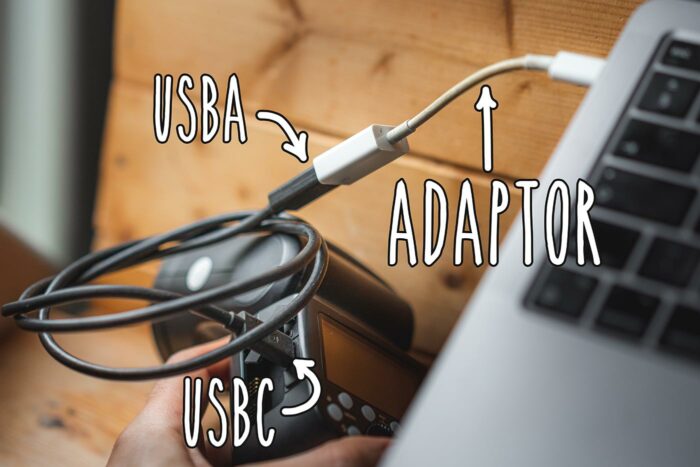
The Godox flash is now recognised via USB and firmware can be updated
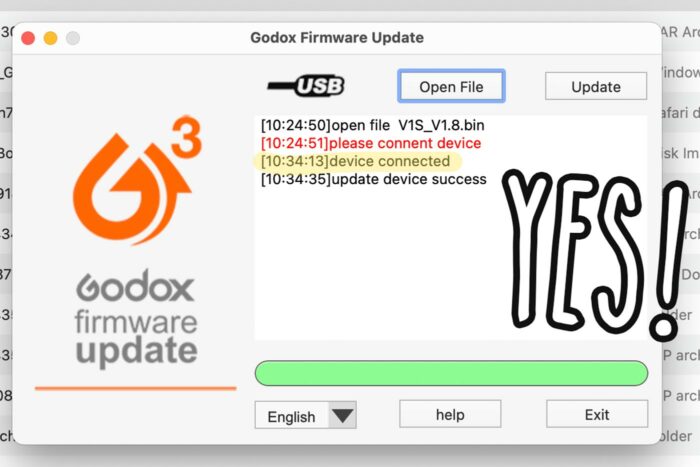
Did this work for you? let me know in the comments…