

My MacBook suddenly stopped working. I turned it on and it wouldn’t boot up.
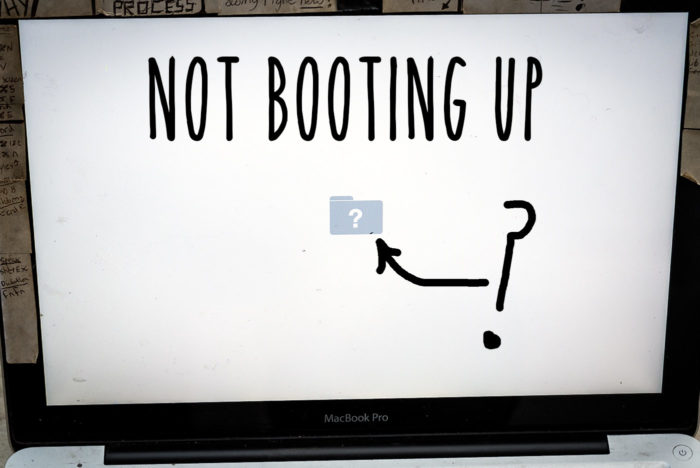
The screen showed a question mark inside a folder – meaning the startup disk cannot be found.
In this post I’ll show you how I fixed the question mark folder icon problem by replacing the hard drive ribbon cable. I’ll also show you how why these cables fail and what you can do to prevent it happening again.
This fix takes about 20 minutes, and less than £10 for a new cable.
Here’s the problem: the question mark icon
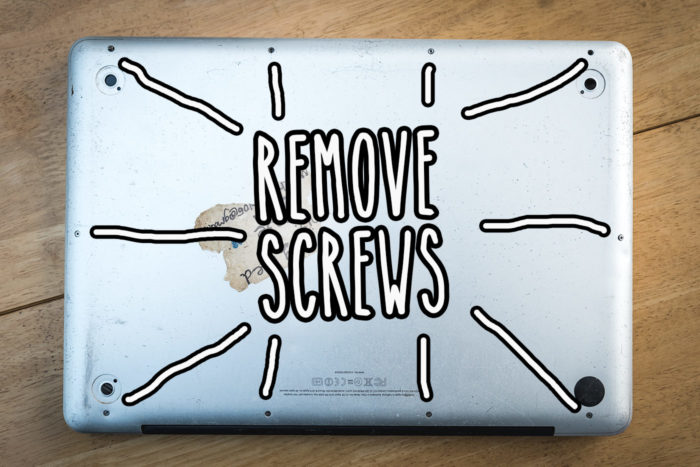
Remove the underside cover
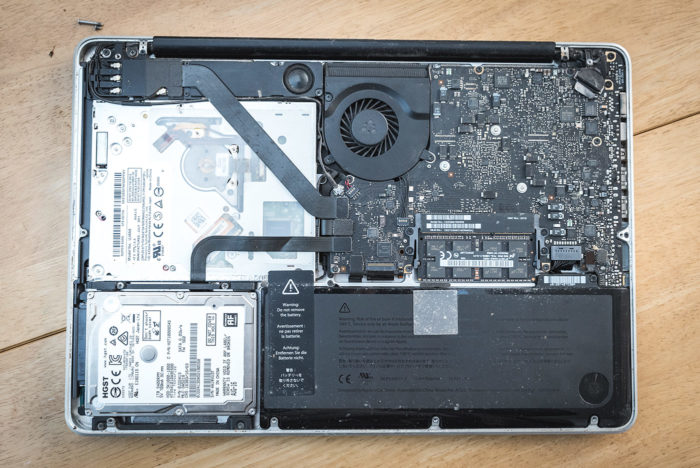
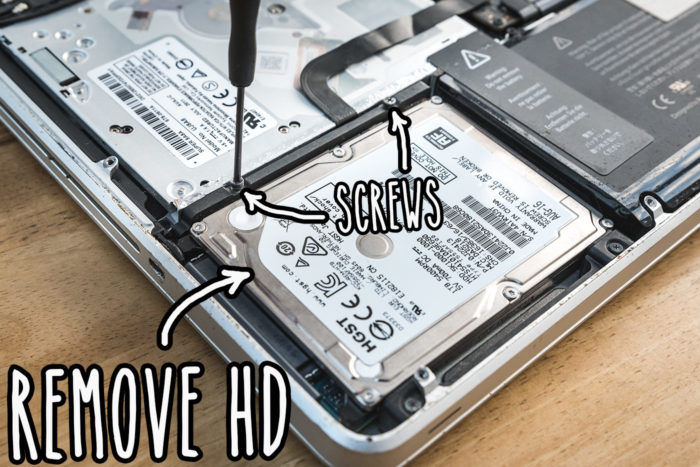
Remove hard drive by removing the two screws
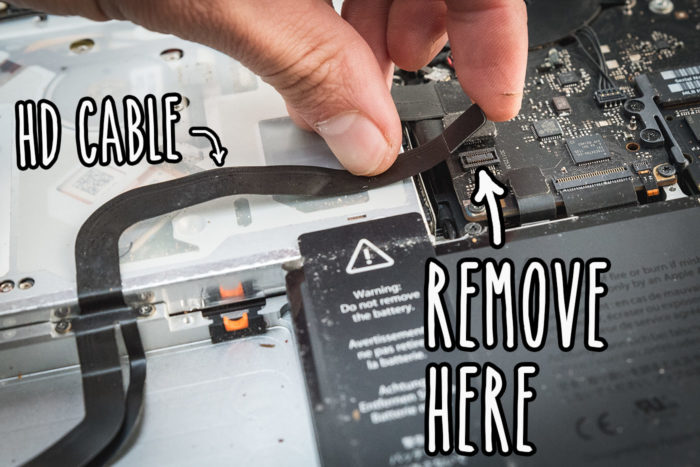
Remove hard drive cable from motherboard
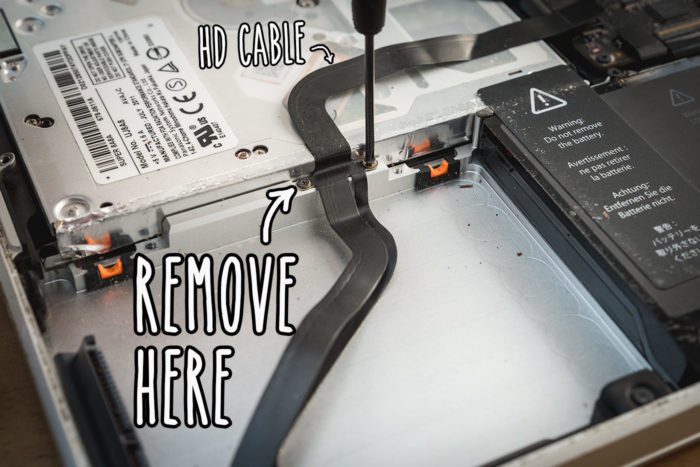
Remove hard drive retainer by removing the two screws
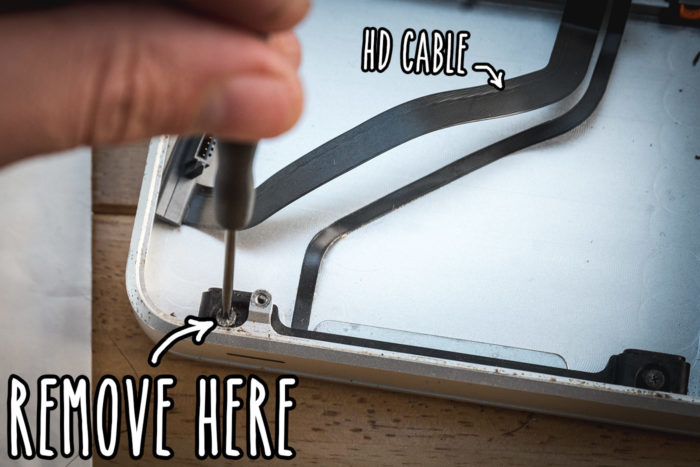
Remove LED and Infrared fixture
Part of the hard drive cable is also used to carry the information for the LED and infrared components at the front of the Macbook
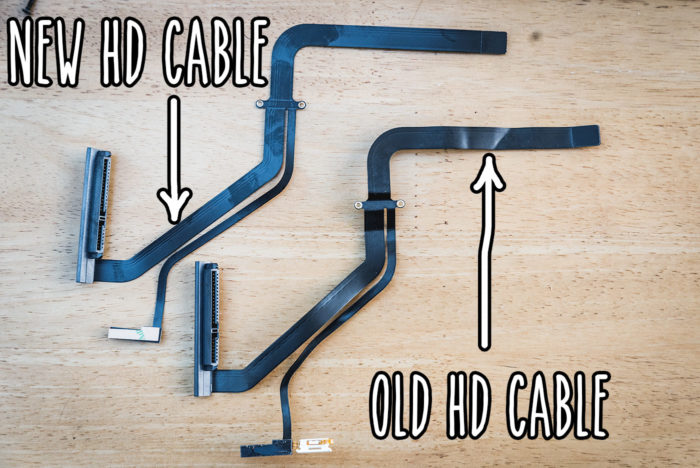
Get a new hard drive cable and check it’s the right one
I got mine from here: Macbook hard drive cable replacement. You’ll need to make sure it’s the right one for your macbook size, model and year. You can contact the seller to double check before buying.
But why might the old cable fail?
The inside of the MacBook is machined aluminum. It has a rough surface which over time could create very small breaks in the thin copper strips of the ribbon cable.
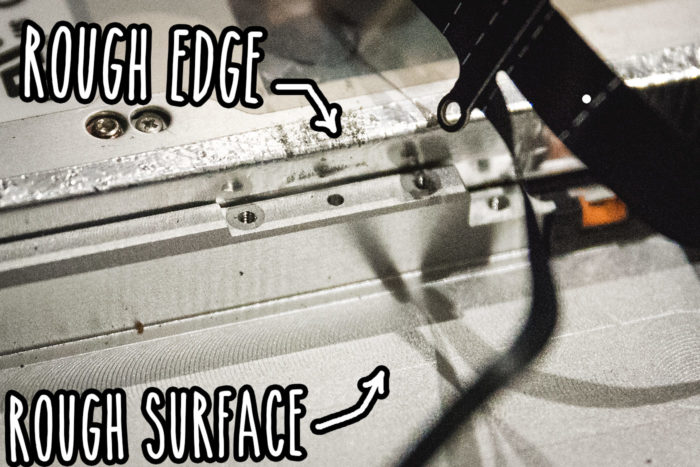
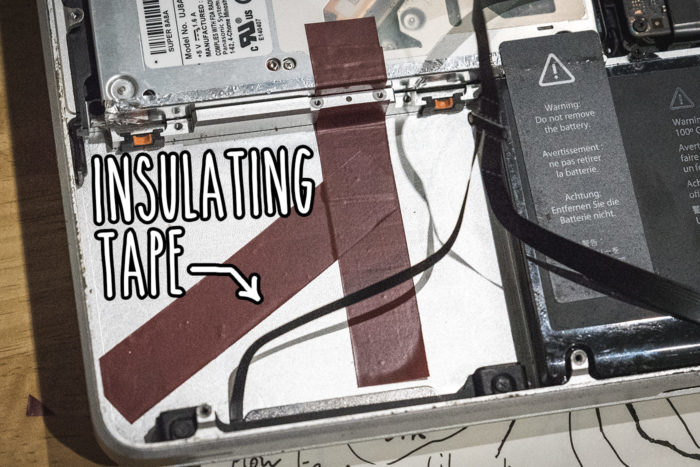
I put insulating tape down to cover the rough edges
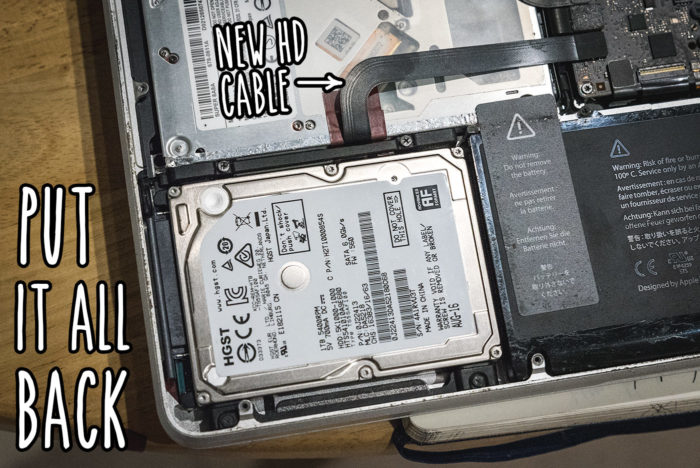
Put it all back together
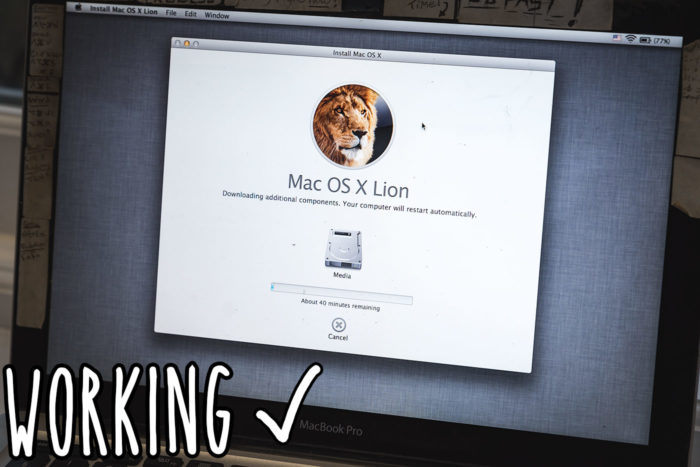
Working
I had to reinstall the operating system because I also installed a new hard drive. But in normal cases, the machine will boot right up like it always did.
Conclusion
After nearly 5 years of very rough, consistent use this – a failed hard drive cable – has been the only problem. That’s not bad in my opinion.
If your Macbook is still not booting up, try a different hard drive. If that doesn’t work then it could be the logic board.
Let me know in the comments how you get on…